
I love using TED videos in my classroom to get students thinking about issues related to what we are studying. When I heard that I could wrap video content in an online lesson with TED Ed, I decided to check it out.
The process of setting up my first lesson was refreshingly easy!
1. Go to TED-Ed to check out the collection of educational lessons.

You can search by:
- Series – Collection of related videos
- Subject -Arts, Business &Economics, Health, Literature & Language, Mathematics, Philosophy & Religion, Psychology, Science & Technical Subjects, Social Studies, Thinking & Learning
- Best flips – Exceptional user created lessons (or “flips”)
2. Find a lesson you like and “Flip” it.
The first lesson I used with students was titled “Exploring Language: The Art of the Metaphor.” This video paired a poetic explanation of metaphors with an artistic video created by the talented animators at TED-Ed. The visual helped to make figurative language more concrete for students.

I was able to tailor the language to explain the lesson objectives. There were a collection of ready-to-use questions already designed for the lesson. I used some of those existing questions, then added some of my own.

Questions can be multiple choice or short answer. I added more complex short answer questions and a creative writing task asking my students to write a metaphor for their lives. We used these metaphors a jumping off point for a poetry writing activity in class to effectively blend instructional mediums together.
3. Get students to “Dig Deeper” with additional resources
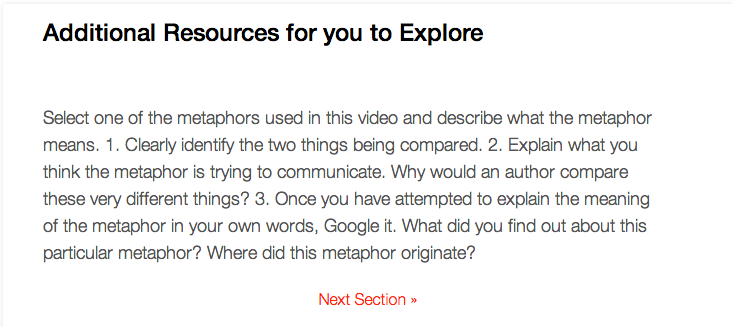
This is a great way to get students thinking beyond simple questions to extend the lesson. Teachers can use the “Dig Deeper” question to tie the online work back into the classroom.
4. “And Finally”
Leave students with some last thoughts about the lesson, the purpose or how you plan to build on it in the classroom.
5. How did students do?
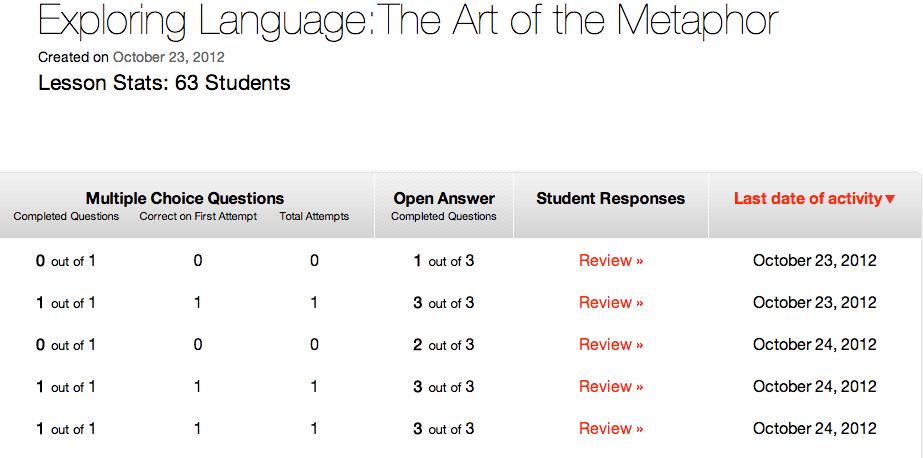
I’ve removed my students’ names, but this is what the “Lesson Stats” for my first session looked like. I can click “Review” to read their specific answers and comments. I can also download their responses into a CSV file.
Flip Any YouTube Video
Didn’t find a video you wanted to use with students on the TED-Ed site? TED-Ed let’s you flip any YouTube video! This is when I got really excited. I can flip TED Talks, my favorite YouTube content or my own uploaded videos.
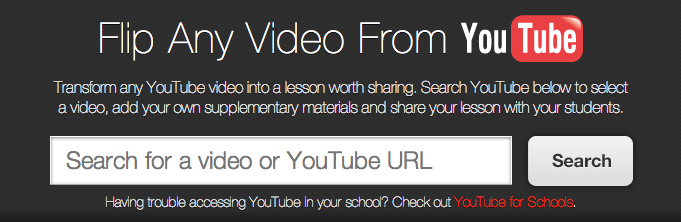
When teaching grammar, it is nice to be able to introduce a concept at home for students to process and digest at their own pace. So, I decided to flip one of Keven Brookhouser’s “Writing Felonies” videos about the passive voice. I entered the URL, designed the questions, and clicked “Finish Flip.” Lesson completed!

*Click here to view this TED-Ed lesson.
TED-Ed made it possible for me to set up an interesting online lesson quickly. It was also easy for my students to use. In a survey after our first TED-Ed lesson 96% said they really enjoyed the whole experience. It was an easy and effective way to engage student online to complement our work in class.
15 Responses
I really liked this post! I recently attended a presentation about a teacher who started flipping his physics classroom earlier this year. But since then I’ve been wondering about what I could do within my English class to flip it. I particularly like the option of picking videos that are already on the internet to be used by students. The link to flip Youtube videos is fantastic and I look forward to trying it out. Have you found any issues with access for students when it comes to internet access outside of school? I’m concerned about the equality of flipping for some students who may not have access to internet outside of the school. Thanks for the great post, I look forward to more!
Hello Kelsey,
I’m thrilled to hear you enjoyed this post! You are absolutely correct that the majority of conversations about the flipped classroom focus on math and science. I think it is unfortunate given how much success I’ve had flipping both my vocabulary and writing instruction. Here is a link to a blog post I wrote about flipping my vocabulary instruction. You can also check out my writing videos playlist to get ideas for how you might do this with your students.
Equity is an important issue to consider, but it cannot be the obstacle to moving forward. I have the luxury of working on an A-B schedule so every other day students can get into library to use the computers. I also have a Google map embedded into my website identifying all of the locations on our campus and community where students can get online. Raising awareness is key. I’ve heard teachers who have saved videos to flash drives or burned DVDs and checked them out to students. Both of those strategies might be useful if you are concerned about access.
Good luck!
Catlin
really great writeup!
as an aside, here’s one of my favorite vocabulary/speech related videos I think every kid should see.
http://www.youtube.com/watch?v=OEBZkWkkdZA
: )
Thank you for sharing, Shannon!
Thank you for sharing, Shannon! That is hilarious.
[…] I love using TED videos in my classroom to get students thinking about issues related to what we are studying. When I heard that I could wrap video content in an online lesson with TED Ed, I decided to check it out. The process of setting up my first lesson was refreshingly easy! 1. Go to TED-Ed to […]
[…] I love using TED videos in my classroom to get students thinking about issues related to what we are studying. When I heard that I could wrap video content in an online lesson with TED Ed, I decided to check it out. The process of setting up my first lesson was refreshingly easy! 1. Go to TED-Ed to […]
Hi Catlin,
I’m new to this idea of flipping lessons and can’t seem to find simple directions. My main query is how do I keep the lesson private; just for my students? I’ve avoided clicking publish as I do not want the lesson ‘live’ on the web!
Also, I cannot see how you set up the student stats – is this an option after you click ‘Publish’?
Thanks for any help you can give me
Hi Louise,
I apologize for not responding sooner. I am out of the country with my family.
Unless you click to share you lesson with other educators, only your students will see them as it has a unique URL. Your students will need to create an account and that is how you will have access to their stats. They have an account, they access the lesson you created via a URL, then the stats are associated with the lesson. You will see their answers on your end under your account information.
I hope that helps!
Catlin
I do not have a teaching venue that has internet access. Is it possible to download your flipped classroom so that you can access it offline?
Hi Clint,
You can save your flipped videos to flash drives or burn DVDs that can be checked out to students. That is one way around access issues, but it does require a bit of work on your end.
Catlin
[…] http://cluttered-record.flywheelsites.com/2012/11/ted-ed-creating-a-flipped-lesson/ […]
[…] I love using TED videos in my classroom to get students thinking about issues related to what we are studying. When I heard that I could wrap video content in an online lesson with TED Ed, I decided to check it out. […]
[…] Resources A link that describes how to use TED-Ed in a flipped classroom http://cluttered-record.flywheelsites.com/2012/11/ted-ed-creating-a-flipped-lesson/ A video of a sample TED-Ed lesson […]
[…] I love using TED videos in my classroom to get students thinking about issues related to what we are studying. When I heard that I could wrap video content in an online lesson with TED Ed, I decide… […]